

Buy ABI Cheats
Player ESP, opponent markers and FOV camera for Raid, Extraction runs and Training—no aim assist.
At a glance
ABI cheat capabilities
What this package focuses on for Arena Breakout Infinite before you open the full module list.
Plus 14 additional modules in the operator portal—see the full list below.
Overview
Built around a full Arena Breakout Infinite operator workflow
How this Arena Breakout Infinite build fits Raid, Extraction runs, and Raid matches after major patches.
Elite tier is the top match package on this site—every Visual Options and Aimbot Options module plus loot farm helpers, skin unlock, priority patch delivery and the full ESP suite.
Elite slots are limited so patch cycles stay fast and builds stay maintainable. Direct dev support in Discord helps you tune conservative profiles before joining Raid or Extraction runs matches. Check the status banner on abicheats.com before purchase.
ABI Elite is the private build for players who want everything—loot farm helpers, combat assist, skin unlock, full ESP suite and direct developer support. Limited slots keep the build maintainable and patch cycles fast.
Use Elite responsibly
Elite power demands disciplined profiles. Test in Training first, start with portal conservative presets, and scale up over days—not minutes. Staff in Discord help Elite users tune before their first Raid, Extraction runs or Raid session.
Full assist and progression suite
Loot farm helpers, combat assist, skin unlock and the full ESP suite with enemy and map alerts. Use Training or a bot match before live Raid or Extraction runs play—Elite power requires disciplined profiles, not rage settings.
Availability
Elite shows as limited slots on the status banner. Open a Discord ticket if checkout is gated—staff confirm slot availability before purchase.
Modules
What's included in Visual Options for Arena Breakout Infinite
Every ABI module and overlay shipped with Visual Options—toggle and tune in the operator portal.
- Aimbot: Enable Akimbo
- Aimbot: Visible Check
- Aimbot: Ignore Knocked
- Aimbot: Draw Target Line
- Aimbot: Draw FOV
- Aimbot: Max. Distance
- Aimbot: Custom Keybind for Mouse
- Aimbot: Aimbot Filter
- Aimbot: Aimbot Smoothness
- Aimbot: Aimbot Speed
- Aimbot: Aimbot FOV
- Visuals: Player ESP
- Visuals: AI ESP
- Visuals: Inventory List
- Visuals: Box
- Visuals: Distance
- Visuals: Name
- Visuals: Team Index
- Visuals: Weapon Type
- Visuals: View Direction
- Visuals: Health Bar
- Visuals: Head Circle
- Visuals: Snaplines
- Visuals: Skeleton
- Visuals: Inventory Price
- Visuals: Level
- Visuals: Side
- World: Enable Player Corpse ESP
- World: Enable AI Corpse ESP
- World: Price
- World: Max Distance
- World: Minimum Price
- Misc: Crosshair
- Misc: Font Size
- Misc: Combat Mode
- Misc: Create Config
- Misc: Save Config
- Misc: Load Config
- Misc: Delete Config
Experience
In the client · After you buy
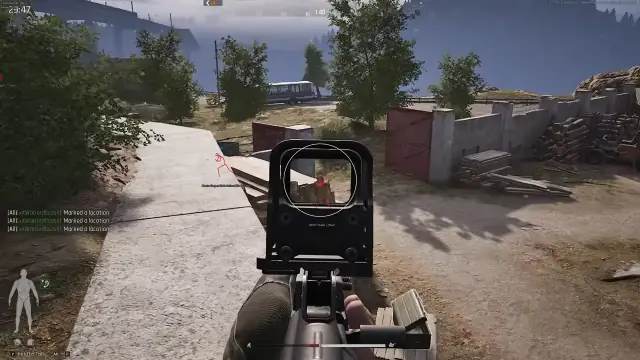
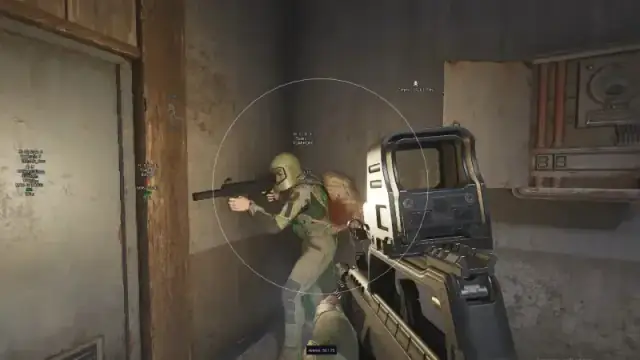
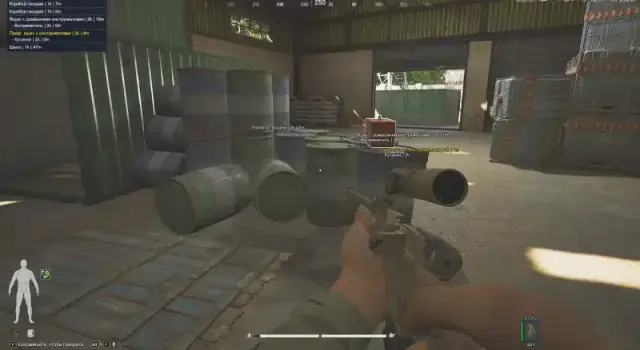
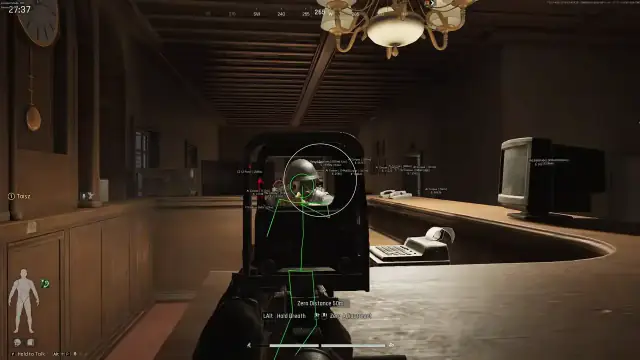
Use the screenshots above for Visual Options—below is what each layer means and how access works after checkout.
In-game layers
- Layer A
Aimbot combat
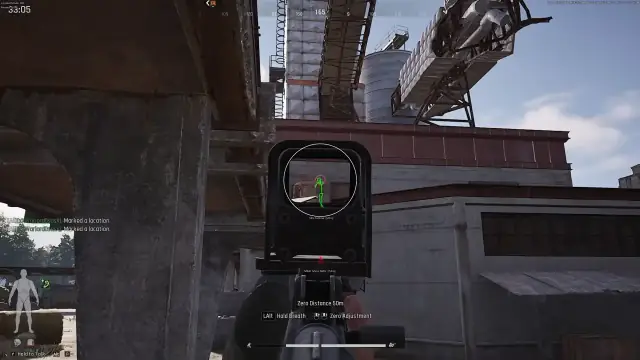
FOV circle and target line in an ABI firefight.
- Layer B
AI ESP
AI outlines, team index and weapon type tags.
- Layer C
Visual options
Visuals panel with Player and AI ESP toggles.
- Layer D
Aimbot panel
Aimbot speed, smoothness and filter settings.
- Layer E
Misc options
Config create, save, load and delete controls.
Guides
Arena Breakout Infinite buy guides for Visual Options
Curated Arena Breakout Infinite articles for setup, tuning, and patch-day checks that match this product.
Features guide: Player ESP, Aimbot, Shot timing assist, FOV hack and Skin unlock by Visual Options, Aimbot Options and Elite tier—compare modules before checkout.
Elite is the full ABI cheats suite: aimbot, ESP, loot farm helpers, Skin unlock and priority patches. See who should buy Elite and how to check out.
A plain-language map of how aimbot, ESP, loot tools and misc modules are grouped for Arena Breakout Infinite.
Windows 10/11, display modes, and Easy Anti-Cheat launch expectations for Arena Breakout Infinite on PC.
Visual Options Aimbot Options checkout guide: choose Visual or Aimbot option groups, pay at secure checkout and unlock your portal—2026 walkthrough from tier pick to first launch at abicheats.
Learn what infinite cheats are in plain English—ESP, radar, aimbot labels—and how cheat software is discussed around Arena Breakout Infinite online play.
FAQ
Questions about this page
Answers tied to what you are reading—visit the FAQ page for every topic.